Table of contents
Another calendar full of calls. Vague outcomes. Action items scattered in someone’s DM. That’s the baseline problem for endless companies: too many meetings, not enough clarity afterward. AI tools stepped in because they’re good at the boring parts: capture, structure, and follow-ups. That means people can actually talk.
If you’re hunting for the best AI meeting note taker or trying to pick the best AI note taking app that doesn’t get in your way, you’re in the right place. A solid AI meeting assistant should listen, draft clean summaries, and surface next steps without you babysitting it. Even employees love these tools, 62% of employees say they reclaim about four hours a week with AI handling notes.
But there are a lot of options; the market’s crowded, which is why we’re reviewing the standouts. In this guide, we’ll compare 2026’s top tools by what actually matters day to day: accuracy, compatibility, integrations, pricing, and privacy.

What Is an AI Meeting Note Taker?
Let’s keep this simple. The top AI meeting note taker is software that listens, writes, and remembers, without interrupting you. It captures what’s said, turns speech into text, and distills the mess into usable summaries, tasks, or even CRM entries.
The process usually follows five steps:
- Record. The app joins your call or listens in from your mic.
- Transcribe. Speech recognition turns every word into text.
- Summarize. Natural language models flag decisions, tasks, and deadlines.
- Organize. Notes are sorted by speaker, topic, or priority.
- Activate. Insights sync automatically with Slack, Notion, or your CRM.
The smartest AI meeting tools now go far beyond transcription. They actually move your work forward. Instead of leaving you with a transcript, they send key points straight into your CRM or project board. No more copying notes by hand. The result is simple: fewer admin tasks, sharper focus, and a record you can search later. It gives your team memory without the extra effort.

Best AI Meeting Notetakers in 2026
Here’s the truth: almost any app can record and transcribe. The real question is whether it helps you do something with that information. The list below covers seven tools that stand out this year; tested for how well they perform, what they automate, and how they handle your data.
Rekap: The best AI meeting assistant
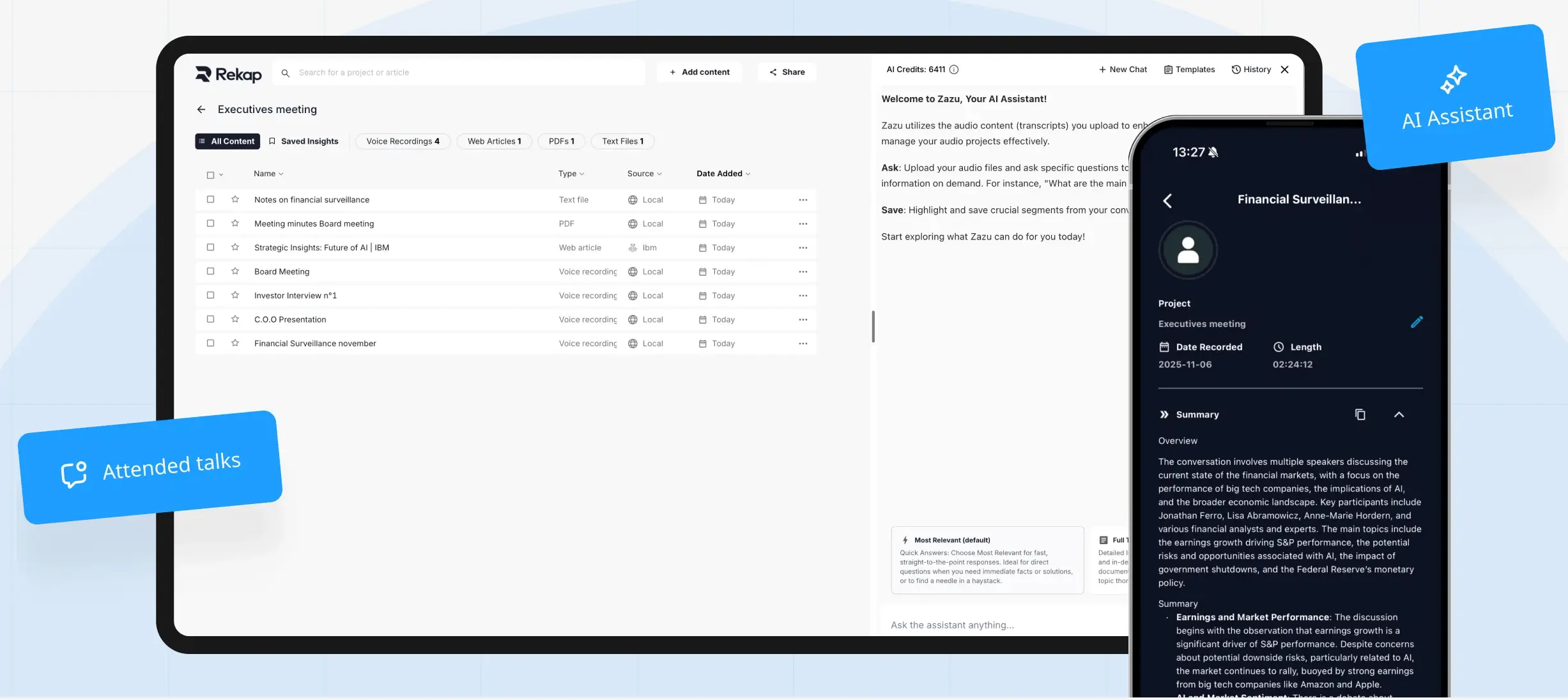
Rekap feels different from the usual meeting apps. It listens quietly, then does the part most tools skip, it organizes what happened and gives you the pieces that matter. No long transcript, no cleanup. Just a quick recap, the key points, and what needs doing next. It’s simple, and it actually saves time.
It’s built around AI Modules, which are small automations that each handle a specific job, like writing summaries, logging tasks, or pulling key points for compliance reports.
Main Features:
- Custom AI Modules for transcription, summarization, and workflow automation.
- Works across audio, video, documents, and emails.
- Enterprise-grade privacy with Swiss-based hosting and full GDPR compliance.
- Connects directly to Slack, Notion, HubSpot, and project tools.
Pricing: Credit-based system. One credit for simple transcription, five for advanced modules that create summaries or documents.

Pros:
- Handles more than just meetings, connects data across formats.
- Real privacy: secure servers, no public training data.
- Automates the follow-up work that eats your day.
Cons:
- Needs setup time to match your workflow.
- The credit model takes a little getting used to.
Ideal For: Teams and consultants who want their notes to lead somewhere. Rekap is for people who don’t just want to “remember” meetings, they want to move on them. It’s the best AI for note taking if you care about automation, privacy, and time.
Jamie: Real-Time Simplicity for Busy Teams
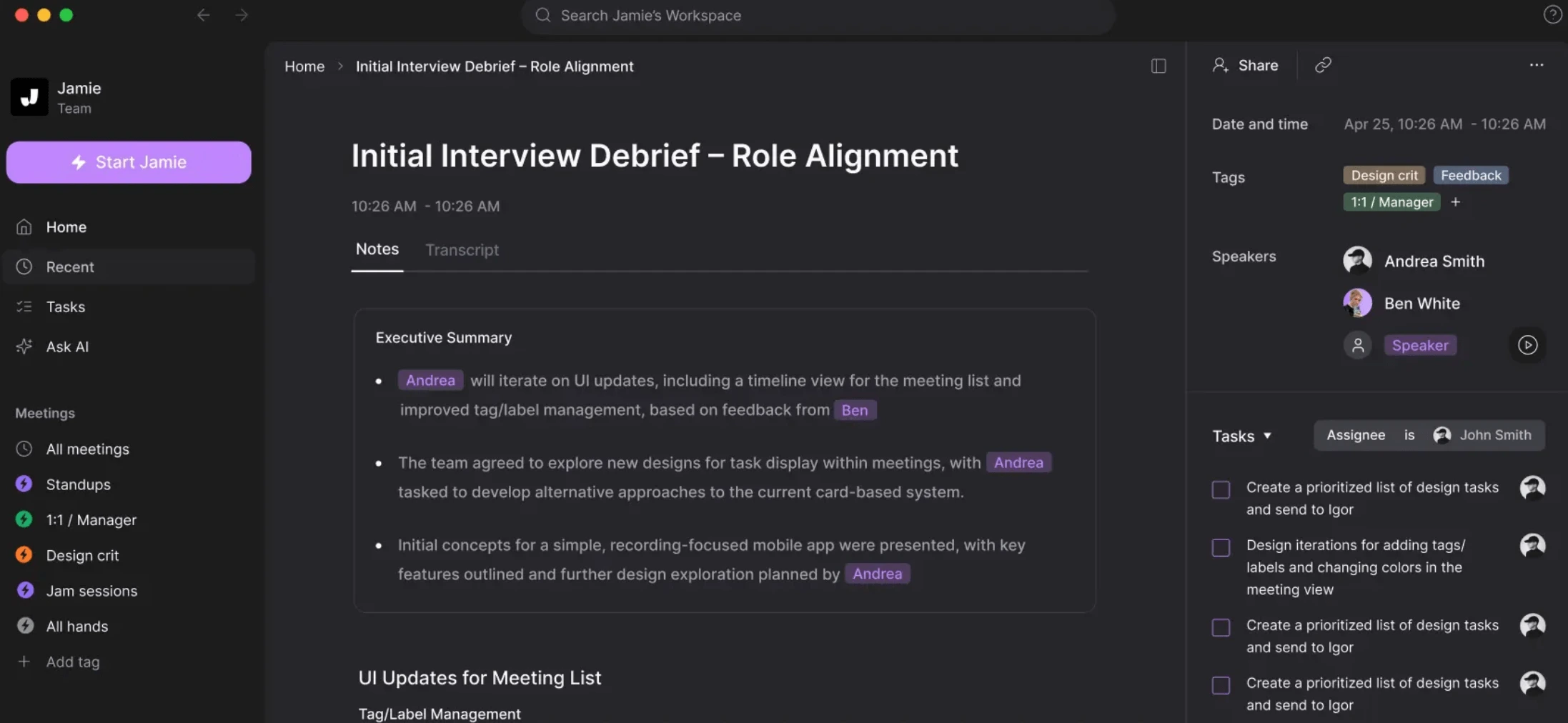
Jamie keeps things simple. No bots joining your calls, no plug-ins to install, no clutter. You start a meeting, it listens quietly, and by the time you’re done, the summary’s waiting in your inbox. It’s light, fast, and clean, it could be the best AI note taking app for meetings if you want something that gets out of your way and just does its job.
Main Features:
- Captures Zoom and Google Meet calls with real-time summaries.
- Finds key points and follow-ups automatically.
- Keeps data private: all notes are encrypted and never shared.
- Sends short, clear summaries right after the meeting.
Pricing: Free version for casual use; Pro plan starts at €47 a month per user.
Pros:
- Fast, reliable, and minimal setup.
- Clear, readable notes right after each meeting.
- No bots or installation required.
Cons:
- Limited integrations beyond the basics.
- Few customization options for note structure.
Ideal For: Small teams and freelancers who just need something that works every time. No setup, no overthinking. It’s dependable and stays out of your way.
tl;dv: Best AI video note taker
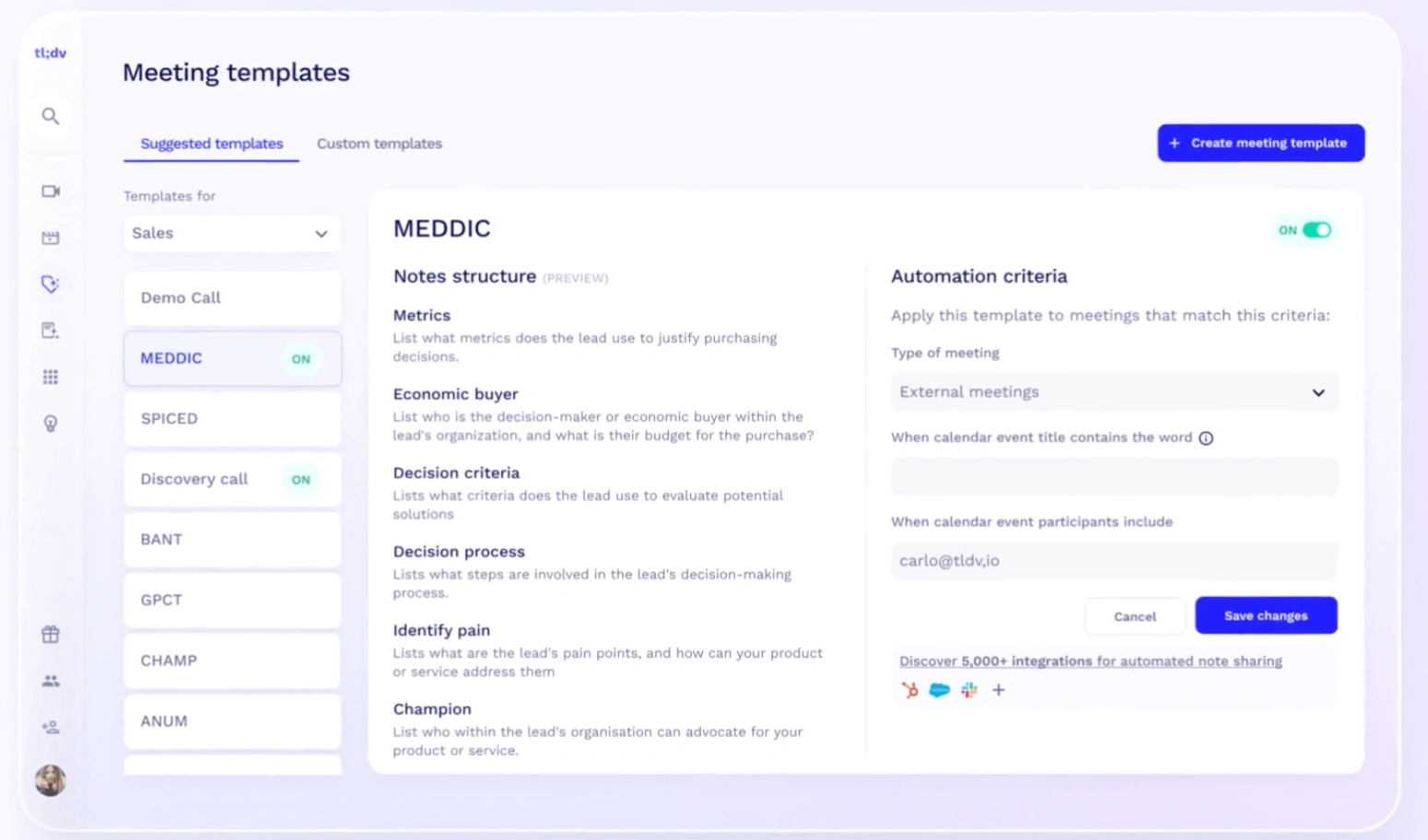
tl;dv feels built by people who live on calls all day. It’s made for teams who move fast and don’t want to rewatch their own meetings. The app records your sessions, marks key points, and lets you skip straight to whatever you actually need. It’s practical, not flashy. If you work across time zones or languages, it’s one of the few AI note takers that handles both without falling apart.
Main Features:
- Records and summarizes Zoom and Google Meet calls automatically.
- Adds timestamps to key points so you can jump around easily.
- “AI Clip Generator,” rolled out in late 2025, creates short video snippets for sharing.
Pricing: Free basic plan; Pro version starts around $20 per month.
Pros:
- Great for teams spread across countries or departments.
- Summaries are tight and time-stamped for quick scanning.
- Video highlight clips save tons of review time.
Cons:
- Built mainly for video and limited outside of meetings.
- Still missing reliable offline mode.
Ideal For: Remote and hybrid teams who need visual context, not just text. tl;dv is a best AI video note taker for anyone who spends their week inside Google Meet or Zoom and wants a faster way to revisit decisions without sitting through another replay.
Fathom: Built for Sales, Polished for Everyone

Fathom’s been around for a bit, and that’s a good thing. It’s one of the most dependable AI meeting assistants you can find, built right into Zoom. You hit record, run your meeting like normal, and it quietly handles everything: transcribing, tagging, summarizing, even sending notes to your CRM. It’s not trying to be fancy. It just saves you time and does exactly what you expect.
Main Features:
- Real-time transcription with highlights you can tag during the call.
- Syncs automatically with Salesforce and HubSpot.
- Supports 28 languages and topic tracking, added in 2025.
Pricing: Free plan for individual Zoom users; Teams plan starts at $14 per user per month.
Pros:
- Extremely smooth setup inside Zoom.
- Transcripts are accurate and summaries clean.
- Syncs with CRMs without extra steps.
Cons:
- Mostly tied to Zoom; not great for hybrid setups.
- Editing tools feel a little dated.
Ideal For:
Sales and customer success teams who don’t want to chase notes after every call. Fathom is a best AI for meeting notes pick if you live in Zoom and need something that works reliably, every time.
Otter.AI: The Classic AI note taking app
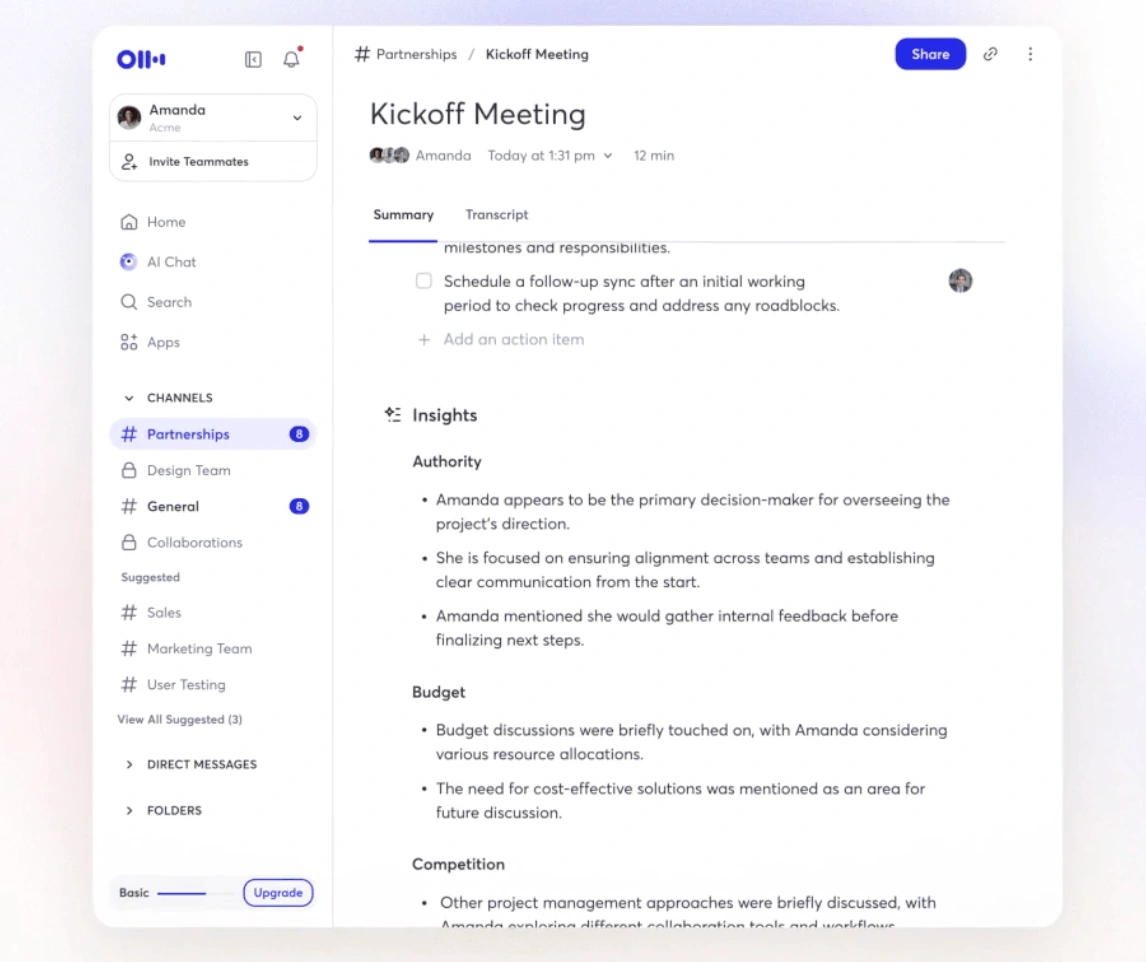
Otter.AI has been around long enough that most people in tech have used it at least once. It’s one of the first transcription tools that actually worked, and it’s still one of the best AI note taking tools for everyday use. The app handles meetings, interviews, classes, and even in-person conversations. Lately, Otter’s added smart summaries, speaker detection, and real-time captions too. That makes it easy to follow what’s happening live.
Main Features:
- Live transcription with speaker labels for clarity.
- “Live Summary” for Teams and Zoom calls (added in 2025).
- Mobile recording for in-person meetings and events.
Pricing: Free Basic plan (300 minutes per month); Pro plan starts at £16.99 per month/user.
Pros:
- Transcription accuracy is consistently high, around 95%.
- Works across multiple platforms, not just Zoom or Meet.
- Fast, searchable transcripts make review easy.
Cons:
- Privacy settings depend on the plan you’re using.
- Limited automation; it’s still mostly a transcription tool.
Ideal For: Students, educators, and business users who want something proven and reliable. If you’re after the best AI note taker for in person meetings, or online chats, Otter is a solid choice.
Fireflies: Automation That Actually Delivers
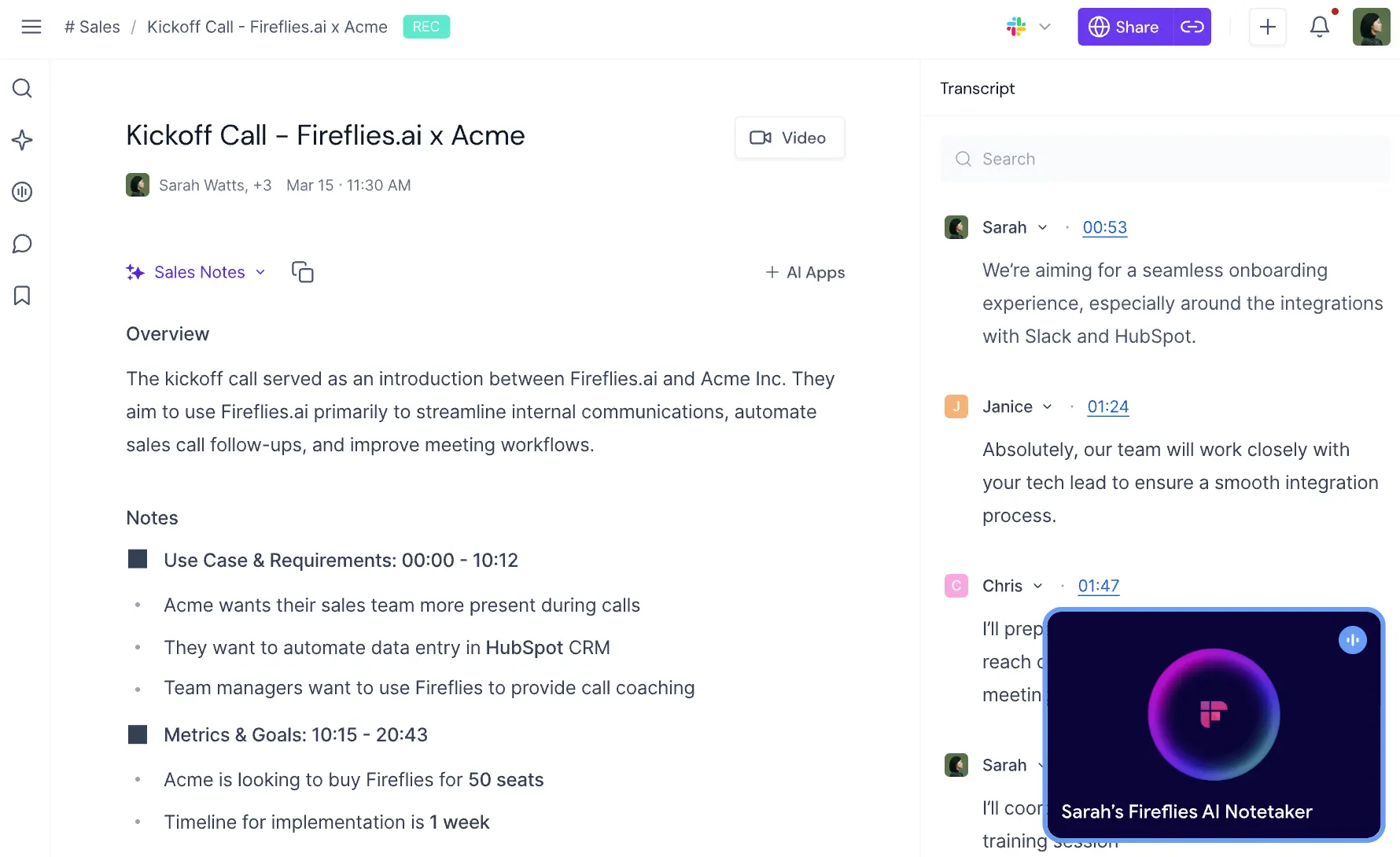
Fireflies feels built for people who don’t want to waste time on post-meeting admin. It joins your calls automatically, takes detailed notes, and pushes everything: transcripts, tasks, and action items, straight into the tools you already use. It’s especially popular with sales and operations teams because it doesn’t just document what happened; it connects the dots across your CRM, Slack, and email. In late 2025, it rolled out new features aimed at venture-capital teams, including 17 prebuilt agentic workflows for deal tracking and investor updates.
Main Features:
- Auto-records meetings across Zoom, Google Meet, and Microsoft Teams.
- Generates summaries, transcripts, and searchable action items.
- Deep integrations with Slack, Notion, and leading CRMs.
- New industry templates for VC and sales use cases.
Pricing: Free plan available; Pro $10 per month; Business $19 per month.
Pros:
- Excellent automation and integration depth.
- Handles follow-ups and workflow routing automatically.
- Constant updates and new use-case templates.
Cons:
- Heavier interface than simpler note takers.
- Transcript editing can feel slow on large recordings.
Ideal For: Sales, VC, and operations teams who want their meeting notes to actually do something. Fireflies is one of the few platforms that feels like an assistant. It could be the best AI note taker for teams if automation is your priority.
Avoma: For Teams That Live in Their Pipeline
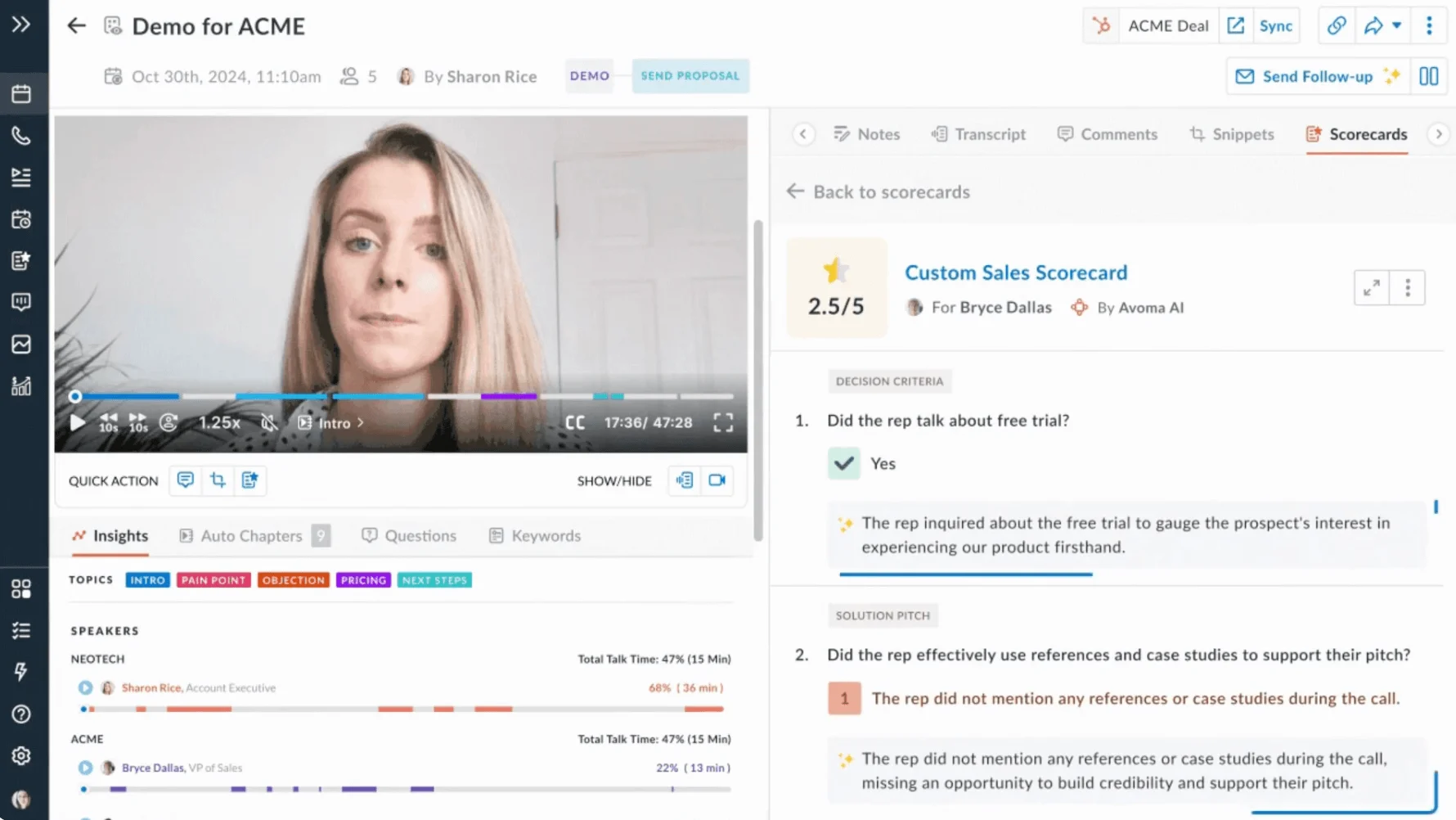
Avoma sits somewhere between a meeting recorder and a full-on intelligence platform. It’s built for sales, success, and leadership teams that care about what happens after the meeting just as much as what’s said during it. The tool records, transcribes, and summarizes calls like most others, but it goes further with analytics: talk ratios, sentiment tracking, topic insights, and deal-stage trends. It’s the kind of app that helps managers coach better and gives teams data they can actually use.
Main Features:
- Automatic transcription and AI-generated meeting summaries.
- Talk ratio, topic tracking, and sentiment analysis for better coaching.
- CRM integrations with HubSpot, Salesforce, and Pipedrive.
- Insights dashboard that highlights patterns across calls.
Pricing: Free trial available; Starter plan starts at $40 per user per month.
Pros:
- Rich analytics and actionable conversation insights.
- Great CRM integration, data flows cleanly both ways.
- Scales well for larger teams and managers.
Cons:
- Overkill if you just want a quick notetaker.
- Costs more than lighter tools like Jamie or Fathom.
Ideal For: Sales and customer success teams who need more than notes, they want insights. Avoma shines in organizations that care about call quality, trends, and performance. It’s one of the best AI meeting notes platforms if you want both automation and analytics under one roof.
How We Chose the Best AI Note Taking Apps
There are plenty of apps calling themselves the best meeting note taking software, but only a few actually earn it. To find out which ones are worth your time, we focused on what matters day to day, the details that decide whether you’ll still be using it a few months from now.
- Accuracy and summary quality: If the transcript isn’t right, nothing else really works. We tested tools that consistently hit above 90 percent accuracy, even with messy audio or multiple speakers. Rekap and Fathom came out on top because they combine large-model accuracy with context filters that cut the noise.
- Multi-platform and multi-format support: Meetings aren’t always on Zoom. Sometimes it’s Teams, sometimes Meet, sometimes a voice memo on your phone. The best AI note taking app in 2026 has to handle all of that: video, audio, and even email summaries.
- Integration depth: Notes are only useful if they end up in the right place. We rated apps on how well they push summaries and action items into Slack, CRMs, Notion, or project boards.
- Privacy and compliance: Every one of these apps handles sensitive information, so where that data lives and how it’s secured really matters. Rekap’s Swiss-based hosting and ISO 27001 certification put it in a small group that truly meets enterprise-level privacy standards.
- Pricing and value: Free plans are fine for testing, but the real question is what you get when you start paying. We compared what each plan offers: from credit limits to premium modules, to see which ones deliver genuine value rather than features you’ll never use.
- Workflow intelligence and memory: A newer category, but important. Tools like Rekap and Read AI (outside our main list) are building what they call “knowledge memory”, cross-meeting recall that lets you search what was said weeks ago. That’s where the market is heading: from transcription to structured memory.
By the end, a clear pattern showed up: the best AI notetaker in 2026 isn’t the one that listens best, it’s the one that acts on what it hears.
Comparison Table: AI Meeting Note Takers at a Glance
How to Choose the Best AI Notetaker for Meetings in Your Workplace
The best AI notetaker for meetings depends on what you actually do all day. There isn’t a single winner, only the one that fits your setup. Here’s how to figure that out.
- Start with your meeting habits: How often are you on calls each week? Are they mostly internal check-ins or client meetings? If you work in sales or consulting, look for something that links directly to your CRM, like Rekap, Fireflies, or Avoma. For quick team updates or syncs, Jamie or tl;dv are easier to set up and keep light.
- Look at integrations early: The best AI meeting assistant should work with what your team already uses: Slack, Notion, HubSpot, whatever’s already in your daily flow. It shouldn’t make you rebuild your setup. Rekap’s flexibility is worth noting since it adapts to your stack instead of replacing it.
- Think carefully about privacy: These apps record real conversations: client data, strategy, internal discussions. Security matters. Rekap’s private Swiss cloud and ISO 27001 compliance are built for serious use, but even tools like Otter and Avoma have improved transparency around their data policies. Always take the time to check them.
- Test two or three before you commit: A week of real use will tell you more than any feature list. See which summaries feel natural, which tools fit your rhythm, and which ones create more work than they save.
In the end, the best AI note taker for teams is the one you barely notice running. The less time you spend managing it, the more value it’s delivering.
The Best AI Helper for Your Meetings
Most of these tools started as transcription apps. Now they’re closer to assistants, some smarter than others. The point isn’t just to get a written version of your meeting. It’s to stop wasting time on the admin that follows.
If you just want something simple, Jamie and tl;dv are both clean and fast. Otter is still a classic if you want reliable transcription without much setup. But if you care about structure, privacy, and saving real hours every week, Rekap stands out. It turns notes into workflows and makes automation feel personal.
The goal’s pretty simple: find the best AI meeting notetaker that fades into the background. You want something that captures what’s important while you focus on the work itself. Try a few out, see which one fits how your team actually works, and finally make your meetings worth the time again.