Table of contents
Nobody wants to be the designated meeting note taker. You’re listening, trying to add your thoughts, and at the same time scrambling to type everything. Later you read it back and half of it doesn’t even make sense.
That’s why teams started exploring AI for meeting notes. AI tools can sit in the background, listen, and build a record of what actually happened: decisions, next steps, even who promised what.
The idea started with transcription; simple recorders that dumped every word into a document. Now, the more advanced meeting AI note taker does a lot more. It summarizes, adds structure, and links right into Slack, Notion, or your CRM. It doesn’t just hear you; it understands context.
Already, 81% of employees say AI tools are making them more productive. An AI note taker for meetings delivers quick wins in that department. Staff spend less time scribbling, and more time actually getting involved.

What is an AI Note Taker (and How Does it Work)?
AI notetakers address the stress that comes with the question: “who takes notes in a meeting?” They take over the distracting work, so teams can stay in the moment.
Most people think these tools just record and transcribe: hit record, dump a text file, done. That was true a few years ago. But a modern AI note taker for meetings is doing a lot more behind the scenes.
Here’s what actually happens.
_.webp)
First, it listens. Using automatic speech recognition, it converts spoken words into text in real time. That’s the “capture and transcription” part. It doesn’t just hear voices, either; newer systems can handle chat messages, shared slides, even quick comments in Slack or Teams.
Then comes the real work: understanding what was said. The system runs natural language processing, the same kind of tech behind GPT and other big models, to figure out who’s talking, what’s important, and what counts as an action or decision. This is where a meeting notetaker starts acting like a real assistant instead of a tape recorder.
Once the conversation’s structured, the tool creates summaries; not word-for-word scripts, but short sections you can actually read. You’ll see highlights, next steps, and searchable transcripts. Zoom’s AI Companion even lets you ask, “Was my name mentioned?” and it finds the exact timestamp. That’s the direction everything’s going.
The next part is automation. Good tools don’t stop at writing; they push those notes straight into your workflow: your CRM, project board, or team chat. That’s the real power of AI for meeting notes: cutting out all the manual copy-paste between systems.
Privacy is finally being taken seriously, too. The latest AI meeting notes taker apps include built-in consent notices, so everyone knows when recording is active. You can pause it, delete it, or choose where data lives. Enterprise tools like Rekap even run in private clouds, keeping voice data locked down.
The last piece is learning. Each meeting teaches the system your tone, your jargon, your patterns. Over time, the AI notetaker doesn’t just write better notes, it writes your kind of notes. It recognizes context, understands project names, and connects meetings to emails or documents automatically.
Top AI Notetakers for Meetings in 2026
You’ve probably noticed how every new app says it can take notes for you. Most of them just do the basics. They record the meeting, turn it into text, and throw in a quick summary. That’s okay, but it kind of ends there. The better options make a difference to what happens next.
Here are a few that stand out right now:
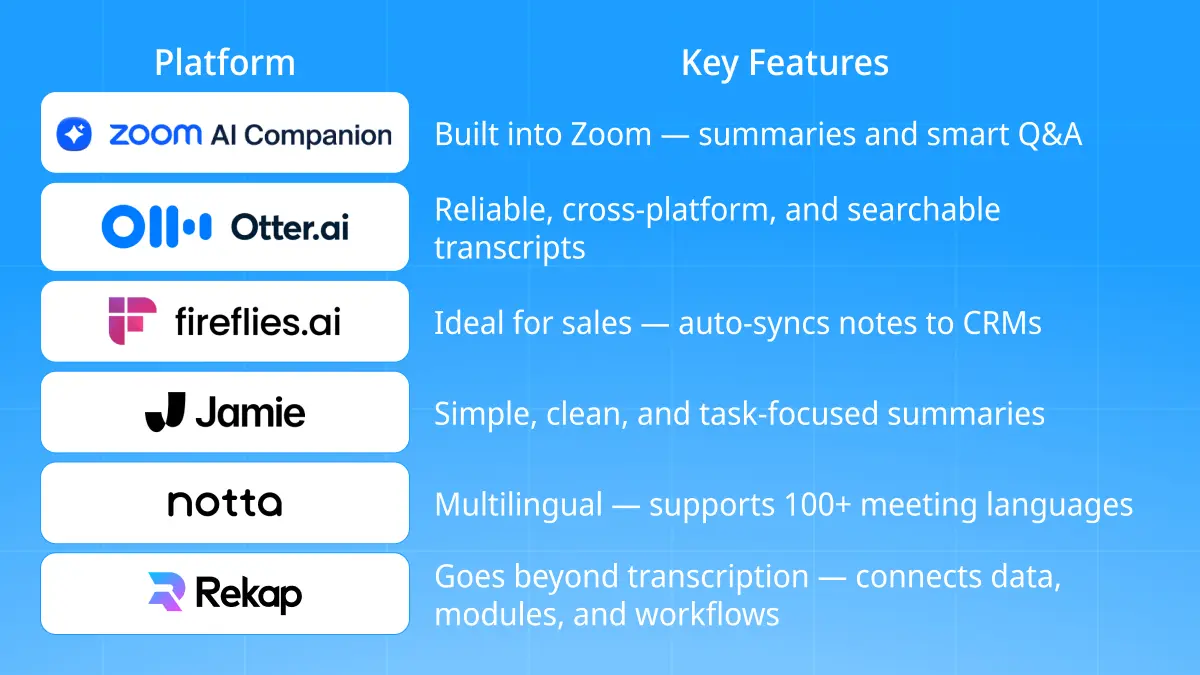
- Zoom AI Companion: It listens, writes up summaries, and can answer questions later like “what did we decide?” It’s useful if you’re always in Zoom.
- Otter.ai: Still one of the most dependable options. Works pretty much anywhere. You get real-time notes, speaker tags, and full transcripts you can search later.
- Fireflies.ai: Big with sales teams. It records calls, summarizes them, and drops the notes right into your CRM. Saves you from copying things over.
- Jamie AI: A lighter meeting notetaker that keeps things simple. It’s good at catching tasks and follow-ups without burying you in text.
- Notta: Strong on languages. It can handle meetings in over a hundred, which makes life easier if your team’s scattered around the world.
- Rekap: This one’s different. It doesn’t stop with transcription. It connects the dots, pulling insights from audio, video, emails, even documents. We’ll get into that next.
Most AI note takers for meetings apps handle the basics. A few go further. The ones worth your time don’t just write what you said, they help you act on it.
Beyond Notes: How Rekap Turns Conversations into Action
Most AI notetakers do the obvious thing, they record what was said and spit out a transcript. Rekap’s built for more than that. It’s not trying to just help you remember what happened. It’s built to help you move on it.
Rekap isn’t your average meeting AI note taker. It runs on AI Modules: small, focused systems that automate real tasks. Not a big generic model doing everything halfway, but precise tools that actually fit how you work. One handles transcription. Another turns notes into summaries or drafts. Another pulls out action items or compliance docs. It’s modular, which means flexible.
That matters because it means you can record a call, and Rekap can:
- Generate compliance-ready KYC documents for finance or legal teams.
- Auto-log tasks and client updates straight into your CRM.
- Pull out key takeaways from a project discussion and post them in Slack.
It’s not just about meetings, either. Rekap handles audio, video, emails, and documents too. You can drop in whatever you have, and it connects the dots automatically. That multi-format piece is a big deal, as most other tools stop at voice recordings.
It works right alongside the tools you already use. Slack, Notion, your CRM, all connected quietly in the background so data moves where it should. Privacy is built in. Everything runs on secure Swiss servers with full encryption and compliance with GDPR. It’s enterprise level protection, and you stay in control of where your data goes and who can access it.
Here’s what that adds up to: time. Research shows team leads spend over four hours a week just turning meetings into follow-ups. Rekap shrinks that to minutes. You leave the meeting and the work’s already organized.
That’s how Rekap’s rewriting the answer to the question: “What is an AI notetaker?”
Why Teams Choose Rekap Over Standard Meeting Notetakers
The chances are, if you’re looking at how to use AI to take meeting notes, you don’t just want a transcription tool. You want something that drives action. Most options don’t. Rekap is flipping that.
It’s built to turn insights into action.
Here’s what makes it different:
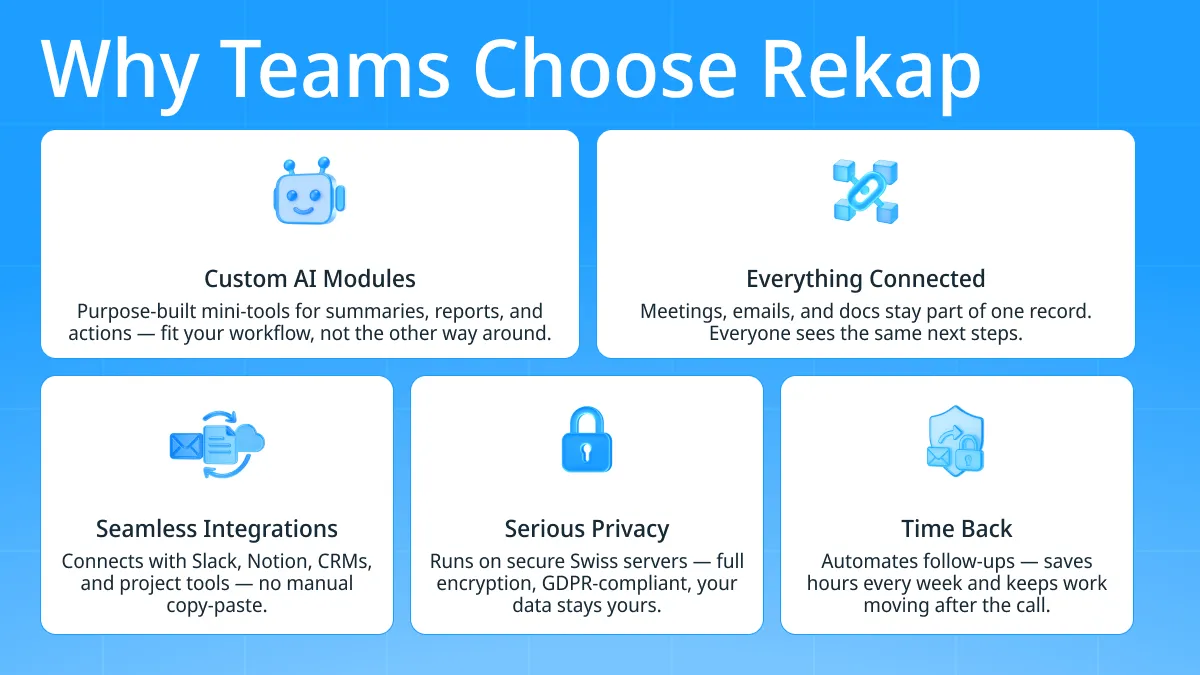
- Custom AI Modules: Rekap builds smaller, focused tools for specific jobs like summaries, action items, or reports. They fit your workflow instead of forcing you into one.
- Works with what you already use: Slack, Notion, CRMs, and project boards all connect smoothly in the background. There’s nothing new to learn and no need to copy notes by hand.
- Everything stays connected: Meetings, emails, docs, all part of one record. Everyone sees the same notes, the same next steps, no digging around later.
- Privacy that’s serious: After countless reports about bots joining meetings uninvited, people started paying attention. Rekap keeps everything private: secure cloud, Swiss-based servers, full encryption, GDPR compliant. Your data stays yours.
- Time back: Zoom found team leads spend around four hours a week writing follow-ups. Rekap handles that automatically. You end the call, and the work’s already moving.
A normal meeting note taker gives you text. Rekap gives you traction and something real to build on.
The Future of AI Notetaking: From Notes to Workflows
The AI meeting notetaker used to be simple, just a tool that could just “remember everything.” But now that’s baseline. Everyone can transcribe. Everyone can summarize. The real question is what happens next.
The future’s moving fast. Zoom is already testing agent-style features, AI that doesn’t just take notes, but also books follow-up meetings, drafts emails, even assigns tasks automatically. The Verge called them “agentic assistants.” It’s a fancy term for what’s really happening: the tech is learning to act, not just listen.
That’s where Rekap is heading too. It’s built to move from notes to workflows. You’ll still get transcripts and summaries, but behind the scenes, Rekap’s AI Modules are starting to handle the next layer: routing information, creating documents, syncing deadlines, all without you asking.
Global workforces are pushing that shift even faster. Hybrid teams, multiple time zones, mixed languages: they all need tools that can bridge those gaps. Otter and others have added new languages recently; Rekap already supports multi-format inputs, so it’s ready for multilingual, global collaboration out of the box.
Eventually, your meeting notetaker won’t just remember your meeting. It’ll know what’s next, and handle it. That’s where this is going.
Rekap’s roadmap already points that way: smarter AI Modules, in-app chat, predictive summaries, tighter automation. Little by little, meetings stop being dead ends. They turn into motion.
In the near future, your AI note taker for meetings won’t just listen. It’ll execute.